
Smart Folder Management for
Google Docs, Sheets & Slides
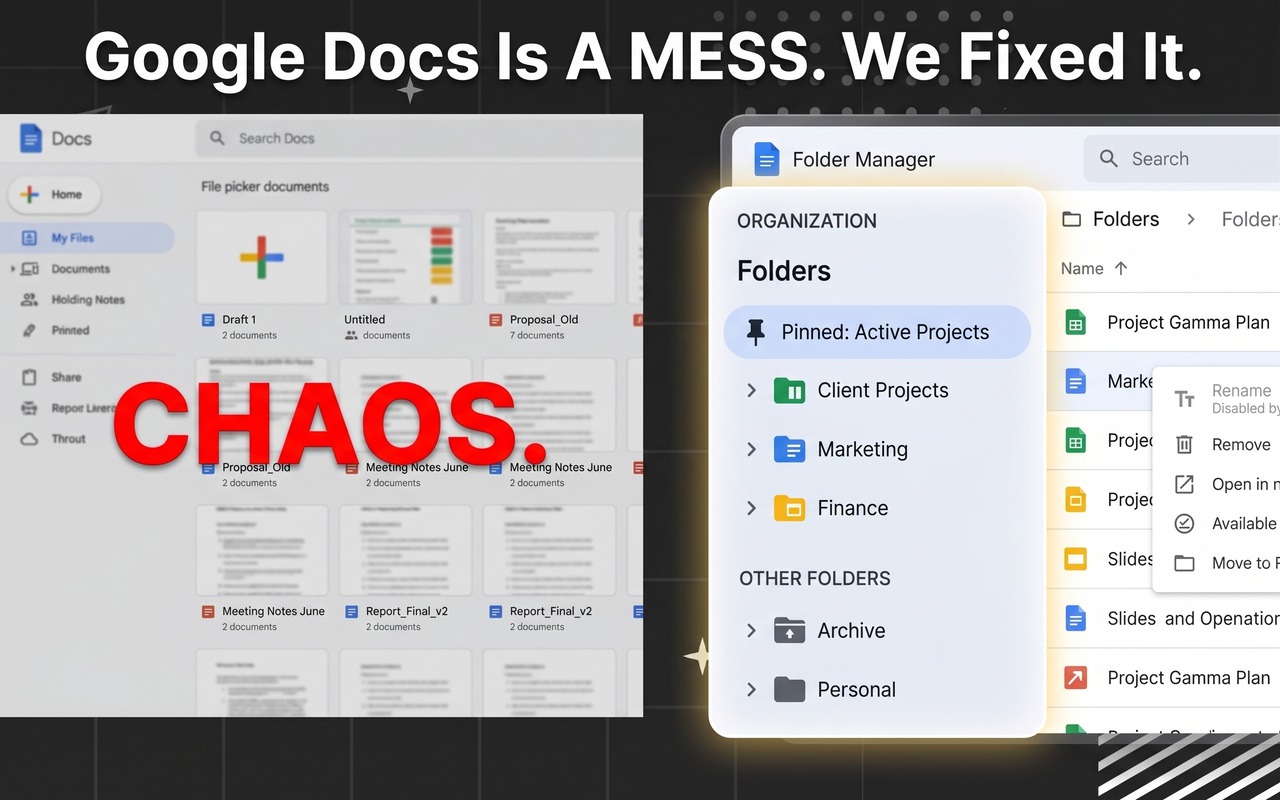
Stop scrolling through chaotic recent file lists. Add a fast, collapsible folder sidebar with nested subfolders, live active document indicators, 1-click toolbar filing, and instant fuzzy search directly in your browser.
Google Docs
In-editor sidebar & toolbar filing for documents
Google Sheets
Manage financial models, spreadsheets & data
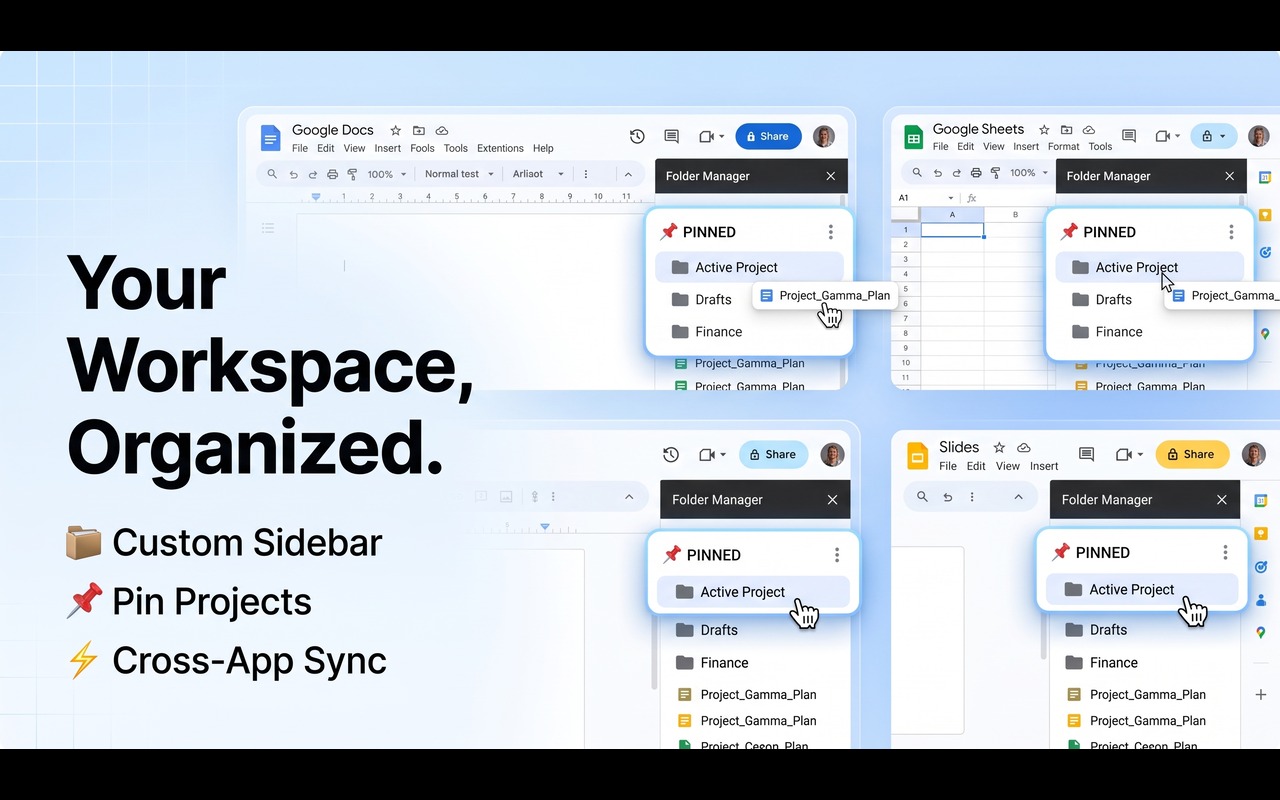
Collapsible Sidebar & Active Document Tracking
A dedicated visual hierarchy that docks cleanly beside your editor without covering your work. With active document tracking, Folder Manager highlights the currently open file with a green status indicator and auto-expands parent folders so you never lose context.
- Live Active Document Badging: Highlights the currently active tab with a glowing green indicator and 'Open' badge in the tree.
- Nested Subfolders & Hierarchy: Build unlimited subfolder trees with clear folder document count badges.
- Drag-to-Resize Sidebar (200px - 800px): Smoothly adjust the sidebar width; Google Docs and Sheets automatically shift layout margin.
- Root Folder Pinning: Pin priority folders to the top of your workspace for instant one-click reach.
Instant Fuzzy Search & Multi-App Filtering
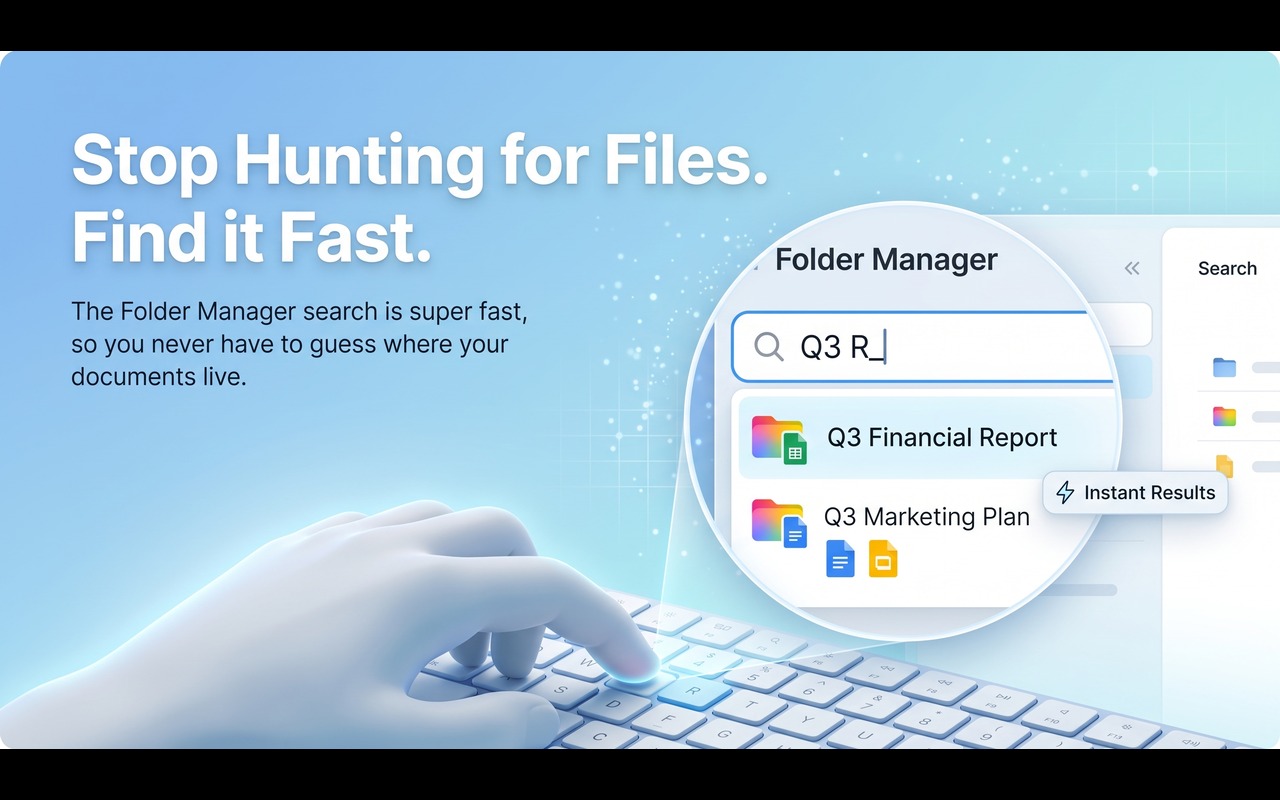
Searching through hundreds of nested documents is instantaneous. Type any keyword to filter through folder names, subfolders, and document titles in real time, with auto-expanded branch highlighting.
- Instant Sub-millisecond Filtering: Real-time search matches documents and parent folders simultaneously.
- App-Specific Visual Accents: Color-coded badges and icons distinguish Docs (Blue), Sheets (Green), and Slides (Amber) at a glance.
- Auto-Expanding Search Branches: Matching folders unfold automatically so you can immediately see the complete file context.
- Multi-Account Separation: Automatically isolates folders across multiple logged-in Google accounts so work and personal documents stay separate.
Native Menubar & In-Editor "Add to Folder"
Organize documents where you already work. Folder Manager integrates an "Add to folder" action right into Google's native menubar, in-editor toolbar, and homescreen document cards.
- In-Editor Toolbar Button: File the active document into any folder or subfolder with one click without leaving your typing flow.
- Homescreen 3-Dot Overflow Menu: Right-click or use Google's 3-dot menu to organize files directly from the Google Docs/Sheets dashboard.
- Clean Document Title Extraction: Automatically parses titles, tabs, and multi-tab documents cleanly without awkward UI chips.
- Fluid Drag-and-Drop: Drag documents directly between folders to reorganize your entire project tree in seconds.
Built for Speed, Privacy & Clean Workspace Focus
Everything you need to transform Google Docs, Sheets, and Slides into an organized workspace powerhouse.
Multi-App Support
Native integration across Google Docs, Google Sheets, and Google Slides with dedicated app icons and color themes.
Nested Subfolders
Build clean multi-tier folder trees with dynamic indentation, folder item counts, and in-place folder renaming.
Active Doc Highlighting
Live green indicator dot and 'Open' badge in the sidebar for the file currently open in your browser tab.
Drag & Drop Moving
Effortlessly drag documents between folders, subfolders, or from the Google dashboard cards in seconds.
Root Folder Pinning
Pin essential sprint folders or active project binders to the top of your sidebar for instant access.
Real-Time Fuzzy Search
Filter through dozens of folders and hundreds of files in milliseconds with auto-expanding branch discovery.
Resizable Sidebar
Drag to customize sidebar width from 200px to 800px with automatic Google editor layout reflow and saved preferences.
100% Safe & Private
Client-side storage with optional Google Drive cloud sync. Never moves, deletes, or modifies physical files in Google Drive.
Designed for Every Google Workspace Power User
See how different professionals use Folder Manager to supercharge their daily workflows.
🔬 Researchers & Academics
Group literature reviews, interview notes, methodology drafts, and analysis spreadsheets into organized research folders.
🚀 Product Managers & Teams
Keep PRDs, sprint planning sheets, customer feedback docs, and stakeholder decks grouped by feature and milestone.
✍️ Writers & Content Creators
Structure chapters, character outlines, content calendars, and publication drafts without hunting through recents.
🎓 Students & Educators
Separate courses by semester, pin current syllabus folders, and organize group project slides cleanly.
Frequently Asked Questions
Everything you need to know about Folder Manager for Google Workspace.