
The Freelance & Team Dilemma in Google Docs
If you collaborate with multiple clients or cross-functional team members, your Google Workspace dashboard quickly becomes a tangled web of shared files. A single client sharing 10 meeting notes will push all your internal documents down into the abyss.
To maintain sanity, top performers use a hybrid taxonomy that organizes documents by active project and lifecycle stage rather than file type.
The 4-Tier Workspace Folder Framework
Using Folder Manager's nested subfolders, set up this 4-tier tree:
Contains subfolders for each active deliverable (e.g.
Acme Corp > Q3 Redesign). Group the project's Google Doc PRD, Google Sheet timeline, and Google Slide pitch deck together.📁 Tier 2: 02_Clients & Accounts
Long-term client hubs containing master service agreements, monthly KPI sheets, and brand guide docs.
📁 Tier 3: 03_Internal Operations
Invoicing spreadsheets, standard operating procedures (SOPs), and team meeting agendas.
📁 Tier 4: 04_Archive (Completed)
Past sprint docs and closed projects dragged out of active view to preserve a distraction-free sidebar.
Multi-Google Account Isolation: Never Mix Work & Personal
Do you switch between a personal Gmail account and a corporate Google Workspace account?
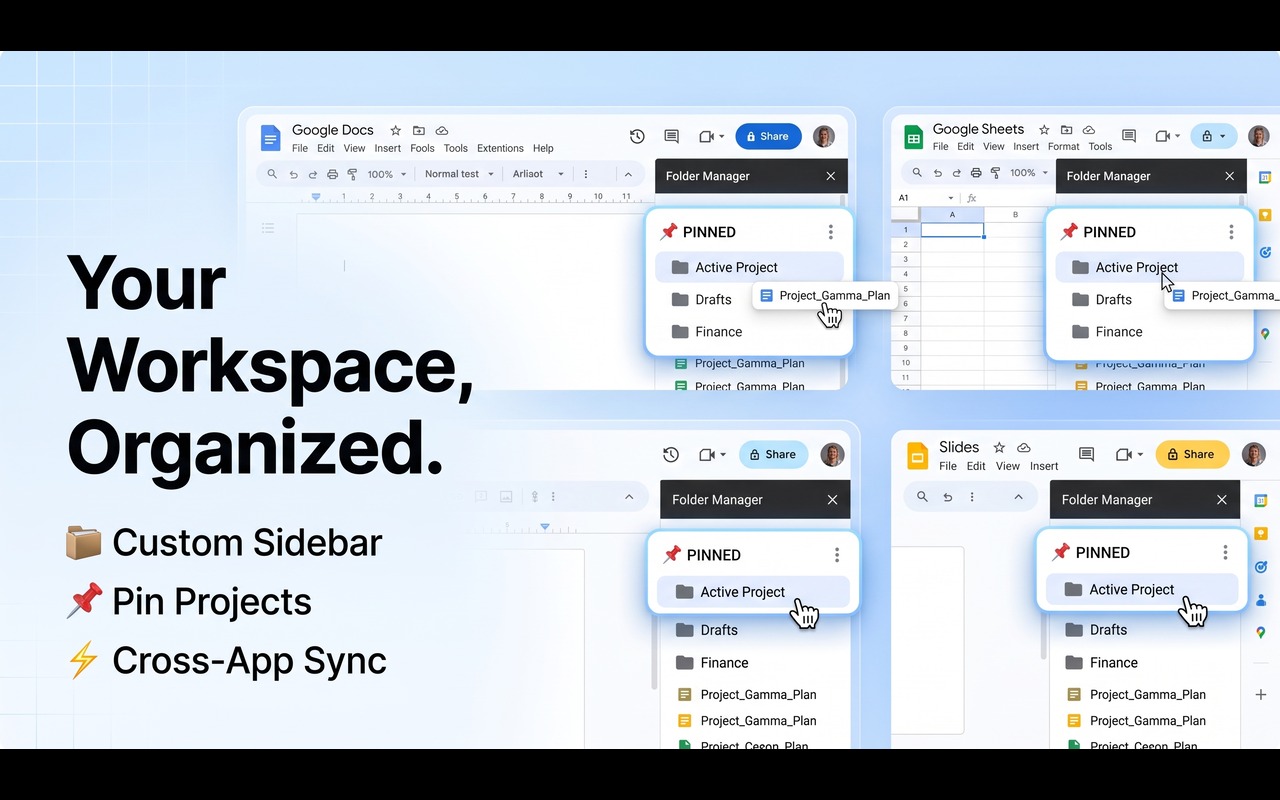
Folder Manager automatically detects your active Google profile and isolates your folder tree completely. Your personal writing projects, tax spreadsheets, and travel slide decks never leak into your client workspaces.
Transform Google Workspace into a Structured Project Hub
Get nested subfolders, multi-account isolation, active doc indicators, and 1-click toolbar filing for Google Docs, Sheets, and Slides.
3 Power Habits for High-Velocity Teams
- Pin Your Current Sprint: Click the pin icon in Folder Manager to keep your active week's binder locked at the very top of your sidebar.
- Use In-Editor Toolbar Filing: Click the "Add to folder" button in the Google Docs/Sheets toolbar the second you create a new file so it never gets lost in recents.
- Perform a Friday Archive Sweep: Drag finished deliverables into your
04_Archivefolder on Friday afternoon so Monday starts with a clean slate.
Summary
With a clear 4-tier folder hierarchy and an in-editor sidebar, you turn Google Docs, Sheets, and Slides from a chaotic document dump into an organized, high-speed project machine.